Record of Troubleshooting a Non-Typical Home Network Issue
Categories:
The phenomenon was that whenever the Lenovo laptop was taken out of the study room, the entire family’s internet would go down. Plugging it back into power in the study room restored the home network. The self-hosted NullPrivate DNS occasionally interrupted, and the main PC occasionally lost connection. Later confirmed to be a switch issue; restarting the switch resolved it.
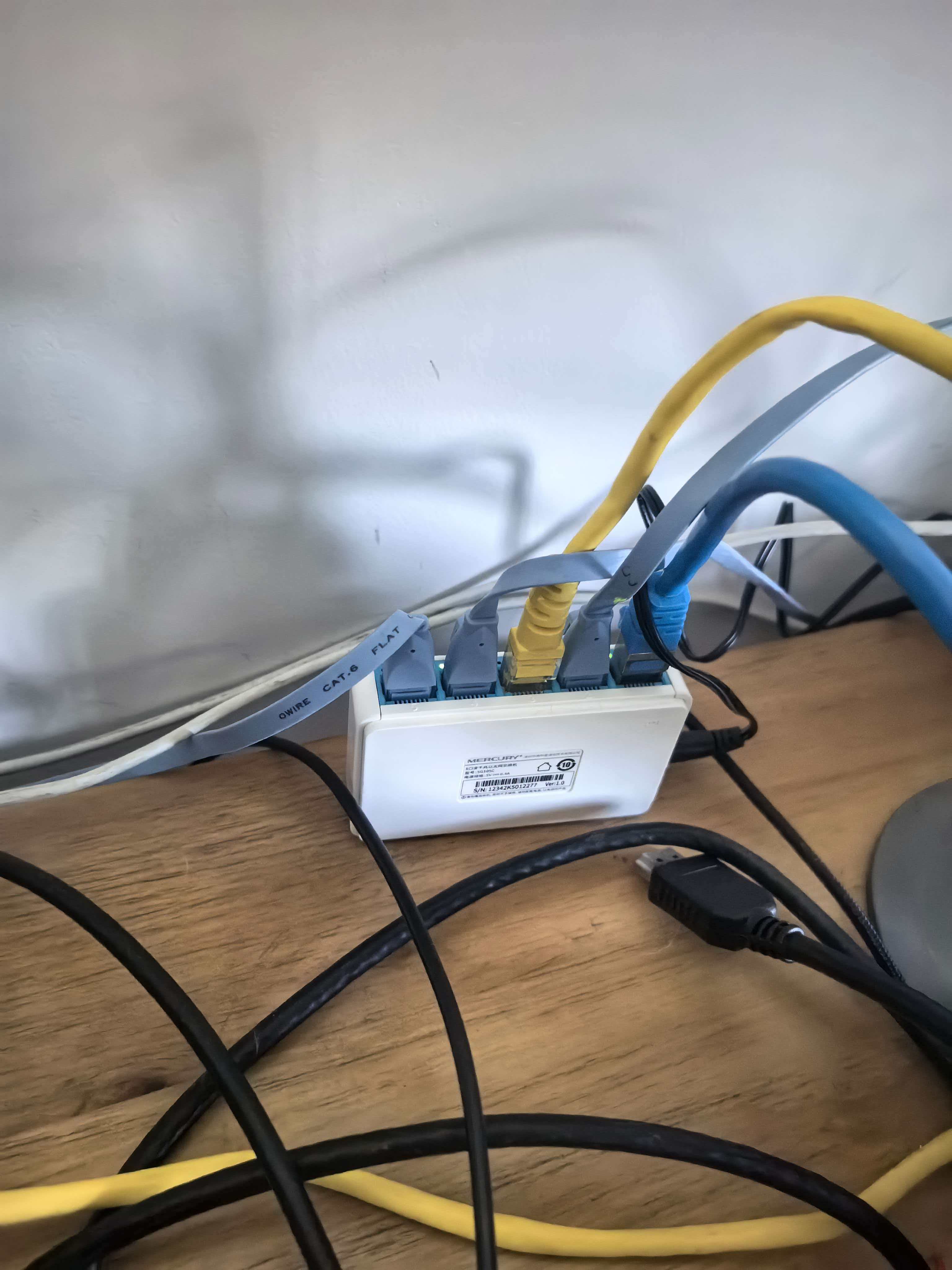
This Mercury switch had been used for years without issues, but recently it required multiple restarts, drawing my attention. Either the device is aging, or the root cause might not be the switch.
I noticed that as long as I used the Lenovo laptop outside the study room, the home DNS would fail. I was puzzled. The Lenovo laptop uses the switch’s wired network via power, and WiFi when unplugged. The DNS service is hosted on a J4215 machine connected to the switch. How could the laptop’s WiFi affect the switch or its devices? IP conflict? MAC address conflict?
The switch structure is simple, but I couldn’t debug it. The issue lingered for a while. To prevent occasional switch failures, I enabled WiFi on the main PC as a backup connection, and added Aliyun DNS as a backup for the home DNS to avoid complaints from family about outages.
Today, a sudden flash of insight hit me: maybe it’s not the Lenovo laptop’s WiFi conflicting with the switch—that doesn’t align with physical or networking principles. Could it be that unplugging the laptop causes a fault in the switch at that instant?
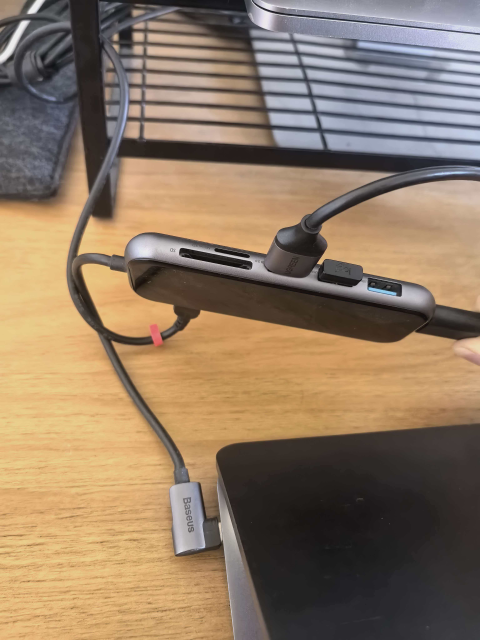
Re-examining the wired connection setup on the powered Lenovo laptop via the switch: it goes through a Baseus hub first. This hub was originally bought for the MacBook Pro because Macs lack USB-A ports; it’s a powered Baseus hub. The MacBook Pro is my wife’s backup machine, rarely used, so I plugged in power and Ethernet, turned off the screen, and left it idle.
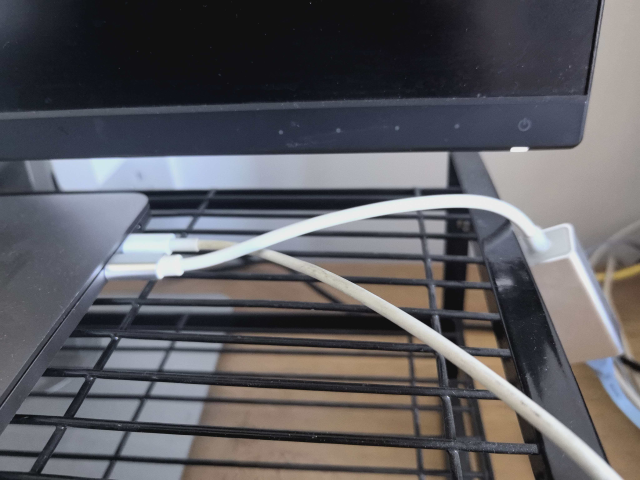
The Baseus hub was repurposed for my commonly used 16-inch Lenovo laptop—a 5000 RMB 16-inch high-U iGPU and large battery model, great value for me. The hub has one power input, with three USB-A ports and one HDMI output. This way, I only need one Type-C connection to power the Lenovo, wireless mouse, wireless keyboard, and monitor.
For network stability, I sometimes used another UGREEN USB hub that supports three USB-A and one Gigabit Ethernet port. I plugged it into the other side of the Lenovo to use the switch’s wired network. It worked fine for a while until one day I got tired of plugging two hubs into the Lenovo. Why not hub-in-hub? So I plugged the UGREEN hub into the Baseus hub, like this:
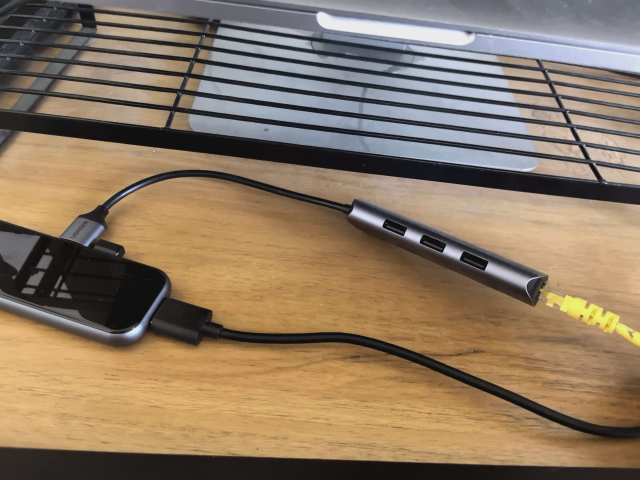
Hey, it actually worked. Now the Lenovo truly had everything via one C port.
Until recently, network issues became frequent, with the J4125 host and main desktop frequently disconnecting. This made me suspect the connection setup. After testing, I discovered the following patterns:
Lenovo -> Baseus+Power -> UGREEN -> Cable -> Switch, under this connection:
flowchart LR
    电源[🔌 电源] --> 倍思[倍思 Hub]
    小新[💻 小新笔记本] --> 倍思
    倍思 --> 绿联[绿联 Hub]
    绿联 --> 网线[🔗 网线]
    网线 --> 交换机[🔀 交换机]

    style 小新 fill:#4a9eff,color:#fff
    style 倍思 fill:#ff6b6b,color:#fff
    style 绿联 fill:#51cf66,color:#fff
style 交换机 fill:#ffd43b,color:#000- Power plugged into Baseus, Baseus hub into laptop, UGREEN hub into Baseus, cable from UGREEN hub to switch
- Using Lenovo with Baseus plugged in: network normal.
- Unplug Baseus from Lenovo: several seconds later, all devices on switch disconnect.
- Replug Baseus into Lenovo: network restores.
Lenovo+Power -> Baseus -> UGREEN -> Cable -> Switch, under this connection:
flowchart LR
    电源[🔌 电源] --> 小新[💻 小新笔记本]
    小新 --> 倍思[倍思 Hub]
    倍思 --> 绿联[绿联 Hub]
    绿联 --> 网线[🔗 网线]
    网线 --> 交换机[🔀 交换机]

    style 小新 fill:#4a9eff,color:#fff
    style 倍思 fill:#ff6b6b,color:#fff
    style 绿联 fill:#51cf66,color:#fff
style 交换机 fill:#ffd43b,color:#000- Power plugged into Lenovo, Baseus hub into laptop, UGREEN hub into Baseus, cable from UGREEN hub to switch
- Plug/unplug power on Lenovo: all normal.
- Plug/unplug Baseus cable: all normal.
Lenovo -> Baseus+Power, Lenovo -> UGREEN, under this connection:
flowchart LR
    电源[🔌 电源] --> 倍思[倍思 Hub]
    小新[💻 小新笔记本] --> 倍思
    小新 --> 绿联[绿联 Hub]
    绿联 --> 网线[🔗 网线]
    网线 --> 交换机[🔀 交换机]

    style 小新 fill:#4a9eff,color:#fff
    style 倍思 fill:#ff6b6b,color:#fff
    style 绿联 fill:#51cf66,color:#fff
style 交换机 fill:#ffd43b,color:#000- Power into Baseus, Baseus hub into laptop, UGREEN hub into laptop
- Plug/unplug Baseus cable: all normal.
- Plug/unplug UGREEN cable: all normal.
Lenovo+Power -> Baseus -> UGREEN, under this connection:
flowchart LR
    电源[🔌 电源] --> 小新[💻 小新笔记本]
    小新 --> 倍思[倍思 Hub]
    倍思 --> 绿联[绿联 Hub]
    绿联 --> 网线[🔗 网线]
    网线 --> 交换机[🔀 交换机]

    style 小新 fill:#4a9eff,color:#fff
    style 倍思 fill:#ff6b6b,color:#fff
    style 绿联 fill:#51cf66,color:#fff
style 交换机 fill:#ffd43b,color:#000- Power into Lenovo, Baseus hub into Lenovo, UGREEN hub into Baseus
- Plug/unplug power: all normal.
- Plug/unplug Baseus cable: all normal.
Baseus+Power -> UGREEN -> Cable -> Switch, under this connection:
flowchart LR
    电源[🔌 电源] --> 倍思[倍思 Hub]
    倍思 --> 绿联[绿联 Hub]
    绿联 --> 网线[🔗 网线]
    网线 --> 交换机[🔀 交换机]

    style 倍思 fill:#ff6b6b,color:#fff
    style 绿联 fill:#51cf66,color:#fff
style 交换机 fill:#ffd43b,color:#000- No laptop involved: just power into Baseus, UGREEN into Baseus, cable from UGREEN
- Plug/unplug power on Baseus: all normal.
At this point, I can conclude that the problematic combination is Lenovo -> Baseus hub+Power -> UGREEN hub -> Cable -> Switch. When the Baseus Type-C is unplugged from the Lenovo, the switch fails. I suspect it’s a power negotiation issue with the Baseus, evidenced by the few seconds delay after unplugging before the switch disconnects. Without the laptop, just unplugging the power from Baseus doesn’t affect the switch. To impact the switch, power is key; it passes voltage through the two hubs and cable to the switch, causing failure. The Baseus hub is critical—without the laptop, unplugging its power doesn’t affect the switch. Only when the powered Baseus hub is unplugged from the Lenovo does the switch fail. The UGREEN hub normally powers USB-A ports, but why does voltage pass through the Ethernet cable to the switch? Is it PoE support? I’m not a USB hub expert; this enters my knowledge blind spot, beyond my ability to explain.
Summary: The probability of a USB hub affecting a home network is not zero. After unplugging the UGREEN hub and cable from the Baseus, plugging/unplugging the Lenovo no longer causes home network outages.
Broader note:
- My blog: https://blog.jqknono.com
- My DNS service: https://www.nullprivate.com/pages/pricing/?invitecode=16Y6M46XHHR
Postscript:
At first, I only noticed frequent outages since winter began, completely unable to link them to the laptop. This laptop mostly stays in sleep mode, mainly used for Edge browser and remote desktop, with no services running. The intermittent outages lasted two weeks before I suddenly recalled: whenever I took the Lenovo laptop outside the study, the home DNS failed. Once, even the main router couldn’t connect upstream, disabling WiFi. The switch connects via cable to the Xiaomi router; restarting the router didn’t fix the upstream issue—only restarting the downstream switch did. This happened only once and couldn’t be reproduced later. Why only in winter? This year’s heated floor is metered by usage; to save money, I didn’t heat the study. Previously, the laptop was always plugged in; now the study is too cold, so I use it in the living room, leading to frequent network issues. I discovered that a powered USB hub can affect the home network. It’s fundamentally a power issue, not networking. If I sought help from Mercury, Xiaomi, or the ISP, it would likely remain an unsolved mystery.